

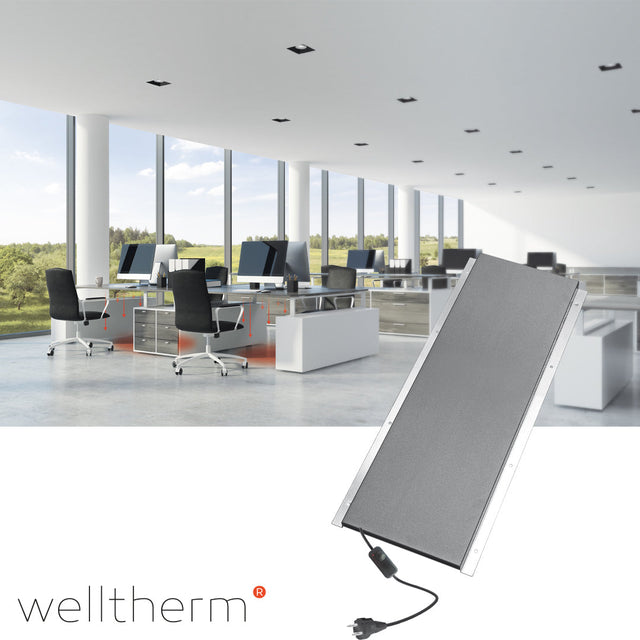
Infrared desk panel: targeted heat while working
An infrared desk panel heats the workspace directly without you having to immediately heat the entire room. The panel radiates heat to the legs, feet, or body, depending on its placement. This makes desk heating practical for home workspaces, offices, reception areas, and other places where one person requires extra local comfort.

How does infrared heating work at a desk?
Infrared heating emits radiant heat to people and surfaces within the panel's range. As a result, the entire room air does not need to be heated before you experience warmth. Furthermore, an infrared desk panel operates without a fan. Therefore, it creates no airflow and makes little noise during normal use.
However, comfort depends heavily on distance, direction, and power. A compact panel under the desk primarily heats the legs. A standing or curved model can reach a larger part of the body. For automatic temperature control, you can use a suitable thermostat .
What types of desk heaters are there?
Panel under the desk
A flat panel is attached to the underside or inner wall of the desk. This keeps the floor clear and directs the heat towards the legs. Before installation, check whether the desktop is heat-resistant and whether the manufacturer permits installation under a desk. Furthermore, maintain the prescribed distance from cables, drawers, and other materials.
Freestanding or curved infrared panel
A freestanding model is easy to move and usually requires no permanent mounting. A curved version partially encloses the legs, allowing heat to come from multiple directions. If you want more flexibility, also compare a standing infrared panel.
Heated desk mat or foot mat
A heated desk mat focuses primarily on the hands and forearms. A foot mat, on the other hand, warms the feet via contact heat. These solutions therefore provide a different heat sensation than a panel that radiates from a distance. Therefore, choose based on the place where you feel the cold fastest.
Wall or ceiling panel at the workplace
A fixed panel can heat a larger work zone. For a desk against a wall, a wall panel be practical. A ceiling panel, on the other hand, keeps the floor and walls clear. Have the required power calculated for both solutions.
Benefits of an infrared panel desk
- Targeted heat: primarily heat the workspace being used.
- Silent operation: a panel without a fan makes hardly any noise.
- Rapid sensation of warmth: radiant heat is felt as soon as the panel has warmed up and is properly aimed.
- Individual control: each workstation can have its own switch, dimmer, or thermostat, depending on the model.
- Flexible placement: choose from under-the-desk mounting, a freestanding version, or a fixed wall solution.
- No central heating pipes needed: electric models only require a suitable power connection.
However, local heating is not automatically cheaper. The potential savings only occur when you actually use less energy for the rest of the room. Total consumption remains dependent on the power output and the number of hours the panel is active.
Choosing the right capacity
A compact infrared desk panel is usually intended as personal supplementary heating. Therefore, it does not need to have the same output as a panel that heats the entire room. However, always compare wattage together with dimensions, maximum surface temperature, and recommended usage distance.
A lower power output may be sufficient when the panel is positioned close to the legs. At a greater distance or in an open workspace, more power may be required. Do not automatically choose the most powerful model: too much heat at a short distance can become uncomfortable. An adjustable heat setting, timer, or thermostat makes control more precise.
Calculate power consumption and costs
You calculate the maximum electricity consumption by dividing the power in watts by 1,000. Then multiply this by the number of operating hours. A 200-watt panel uses a maximum of 0.2 kWh per hour when operating continuously at full power. For four full hours of heating, this is a maximum of 0.8 kWh.
Then multiply the number of kWh by your current electricity rate. A dimmer or thermostat can reduce the actual switch-on time, but the result varies by product and setting. Moreover, you only save on total heating costs if you do not increase the central temperature at the same time.
Secure mounting under the desk
First, check whether the product is specifically suitable for mounting under a desk. Use only the supplied or prescribed mounting hardware. Magnetic mounting, screw plates, and self-adhesive mounting each have their own requirements regarding material, weight, and surface temperature.
- Maintain the minimum distance from legs and flammable materials.
- Do not place the panel against cable trays, power strips, or paper.
- Ensure that desk drawers can open freely and do not block heat.
- Never cover the panel and keep the ventilation openings clear.
- Route the power cord to a suitable outlet without kinks or a tripping hazard.
- Do not use the product in damp areas if the IP rating does not permit this.
If in doubt about the electrical connection or office equipment, have a qualified installer take a look. Additionally, always follow the assembly instructions for the specific model.
Comfortable and ergonomic placement
Position the panel so that the radiation reaches the legs without one spot constantly becoming too hot. Therefore, start on a low setting and gradually increase the heat. Also, allow sufficient room for your knees and feet. A heating panel must not hinder a good working posture.
If you are sitting close to a cold exterior wall or window, drafts can reduce comfort. Therefore, resolve any strong drafts first. Subsequently, the panel can be positioned more strategically. Also, ensure that a temperature sensor is not mounted directly next to the warm panel, as this can give a distorted reading.
Local supplementary heating or heat the entire office?
An infrared desk panel is particularly suitable for locally heating a single seat. If you wish to maintain the temperature of the entire room, a heat loss calculation is required. Surface area, ceiling height, insulation, glazing, and outside temperature together determine the required power.
For a larger workspace, a combination of local and fixed heating can be practical. For example, use a desk panel for direct personal warmth and a separate system for the base temperature. Furthermore, multiple workstations can be controlled individually. To do this, check the maximum switching load of a central smart thermostat or control module.
Comparing infrared desk heating with a fan heater
- Infrared panel: provides targeted radiant heat, operates quietly, and causes little air movement.
- Fan heater: heats the air quickly, but makes noise and moves air.
- Convector: primarily heats the room air and is less specifically aimed at a single workspace.
- Heated mat: provides contact heat to hands or feet and warms a smaller body part.
Which solution fits best depends on the cold zone, operating time, and available space. Additionally, compare controls, timer, thermostat, cord length, installation, and safety features.
Multiple workstations in an office
With multiple desks, individual control is often more beneficial than a single high temperature for the entire room. After all, employees perceive heat differently. With individually adjustable panels, every workstation can choose its own comfort level within safe limits.
Be sure to calculate the total electrical load in advance. Do not connect multiple powerful appliances to the same circuit or power strip without checking. Furthermore, establish clear agreements regarding placement, timers, and switching off after working hours.
Buy an infrared desk panel at Warmteshop
First, compare where the heat is needed: hands, feet, legs, or the entire workspace. Next, look at the mounting method, wattage, dimensions, control settings, and timer. Finally, check the surface temperature, IP rating, cord length, and included mounting hardware.
Warmteshop has specialized in infrared heating for homes and workplaces since 2006. If you would like to view various models or receive advice on power and installation, please visit one of our showrooms. Warmteshop is also listed on Trustprofile.
Read more: infrared panels · desk heating · freestanding · wall · ceiling · with lighting
Frequently asked questions about infrared desk panels
Can any infrared panel be mounted under a desk?
No. Use only a model for which the manufacturer permits this mounting. Dimensions, temperature, mounting, and minimum distances must be suitable for the desktop and available legroom.
How quickly do you feel the heat?
That varies depending on the construction, power, and distance. Radiant heat is generally felt as soon as the surface has warmed up and the panel is correctly aimed at the body.
Can office heating replace central heating?
For a single workstation, it can serve as good supplementary heating. For the entire room, a separate capacity calculation is required. Therefore, local desk heating is not automatically primary heating.
Is a self-adhesive panel suitable for every desktop?
No. Adhesion and heat resistance vary by material and finish. Check the assembly instructions and do not use self-adhesive fasteners if the desk manufacturer advises against it.
Does an infrared desk panel need a thermostat?
Not always. For short-term use, settings or a timer may suffice. A thermostat is useful when you want a more stable temperature or automatic control. Do check if the panel is compatible.
Can the panel be connected to an extension cable?
Follow the product manual for this. Never use a damaged or undersized extension cable and avoid overloading power strips. If in doubt, use a fixed, suitable wall socket.